
Mirroring Composer Packages
Private Packagist transparently stores copies of all your third-party dependencies.
Keep deploying when an open-source dependency is deleted or a third-party Composer repository is unavailable.
Start Free Trial
Get in touch with us: send an e-mail to contact@packagist.com or chat with us.
When you first run Composer, you usually install open-source packages from its default package repository Packagist.org. Packagist.org is the public Composer repository for all open-source PHP packages.
When you add an open-source dependency to your project Composer fetches its metadata, its description, a list of versions, its requirements, and more from Packagist.org, but the code can come from any URL on the web, which the maintainer chose.
Installing packages from Packagist.org
Packagist.org only collects and serves package metadata. Most importantly the names of packages, their respective dependencies and the location of their source code. Once Composer resolved the set of dependencies it writes out the composer.lock file containing all metadata for versions of packages that need to be installed. Composer then downloads every package listed in composer.lock. For each package, Composer either downloads a distribution archive (a zip or tar) or checks out the source code from the maintainer’s version control system. Either way, the files come from wherever the maintainer chose to host them.
This means that installing open-source packages from Packagist.org relies on the respective package maintainers’ source code hosting to be up and running whenever you run composer install. Most of the time that’s GitHub but it may be any other service or even hosted by the package maintainer themselves. Packagist.org doesn’t handle building archives, storing or distributing the package source code.
Secure, verified downloads by default
When you install with Private Packagist, Composer downloads every package distribution from your own Private Packagist Composer repository instead of the maintainer’s original source. Because packages are downloaded from Private Packagist you can enforce controls like malware filtering, plugin allow-listing, and other security policies for your organization. You get faster downloads, and even if GitHub, Bitbucket, GitLab, or a maintainer’s self-hosted version control system goes down, composer install keeps working. If you rely on composer install in your build process, it no longer depends on those services being available.
Mirroring also gives you a copy of every dependency your production system requires. So even if an open-source maintainer deletes their package, Composer can still install it from your Private Packagist repository while you switch to a replacement at your own pace.
Mirrored Repositories on Private Packagist
When you create a new organization on Private Packagist, it is automatically set up to mirror all your dependencies from the open-source package archive Packagist.org. But you can mirror any number of public or private repositories, e.g. the Drupal package repository or Magento Marketplace (see “Mirroring Magento Marketplace Packages”).
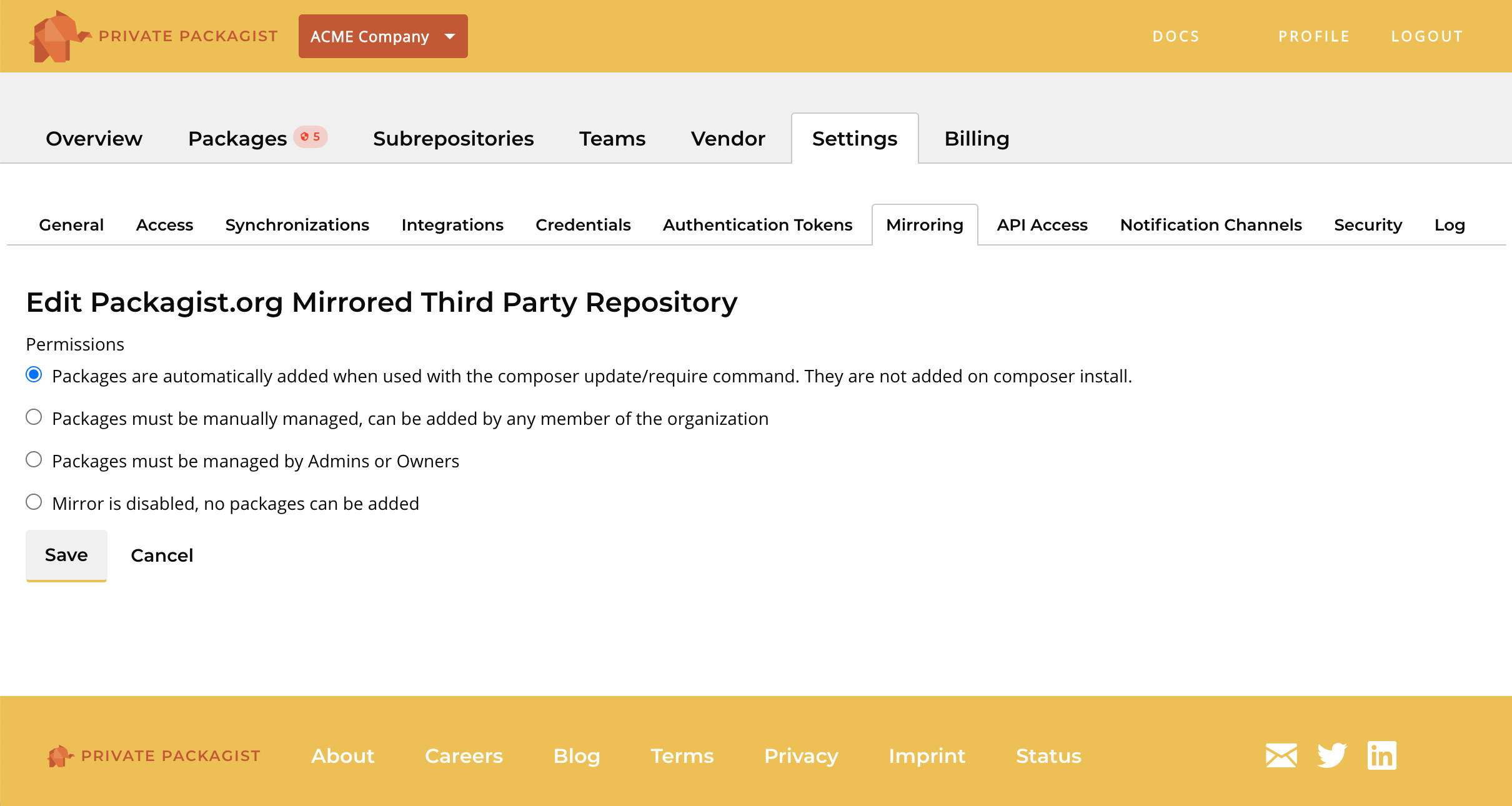
By default packages are automatically mirrored and added to your Private Packagist repository the first time they are accessed through composer update. Automated systems using Private Packagist access tokens cannot mirror new packages to ensure that build processes do not have unintended consequences.
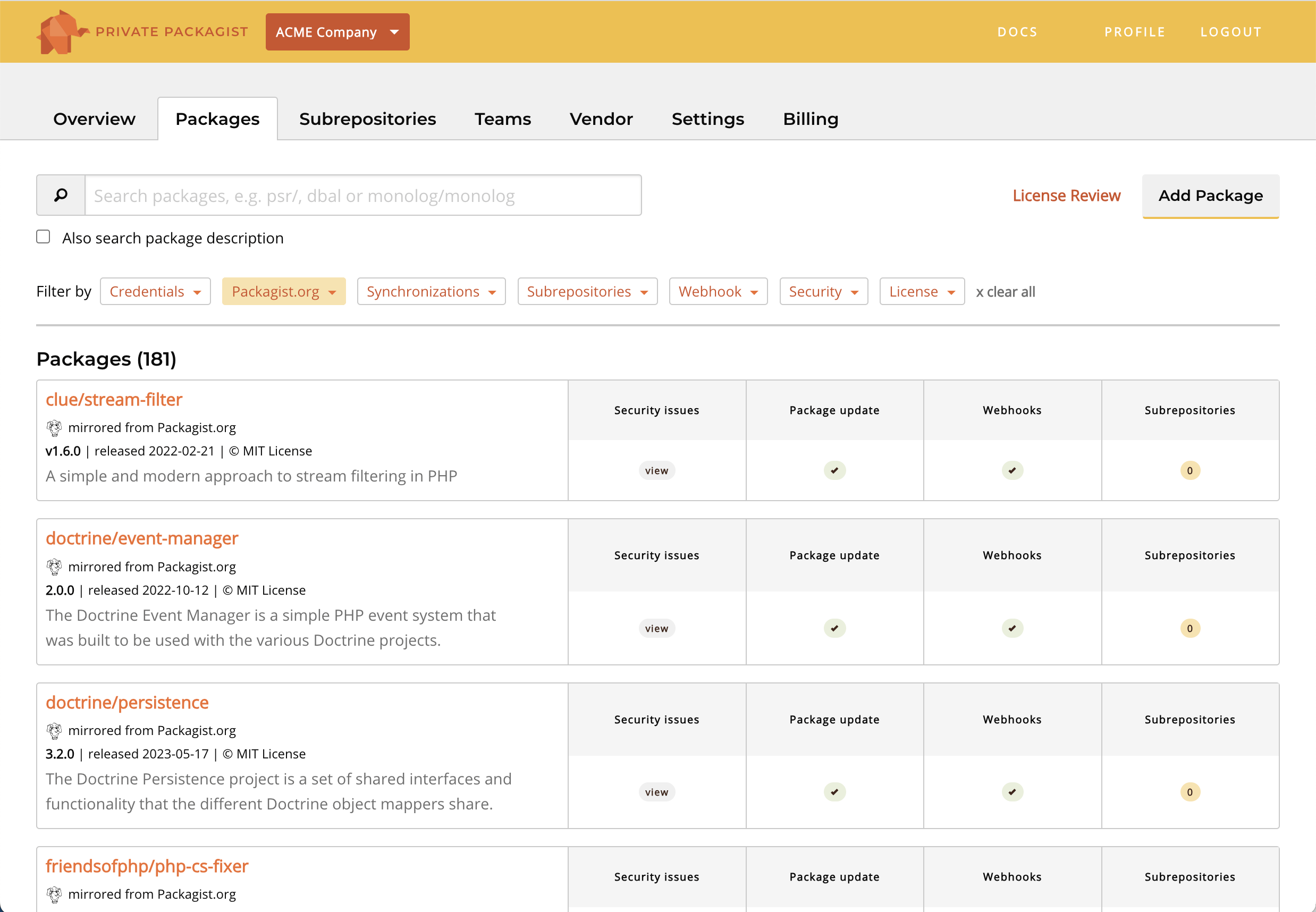
You can configure the mirroring policy on a per-repository basis. For example you can ensure new open-source dependencies are discussed or reviewed before they are manually added by an administrator, making them available to all developers in the organization.
Do you have any questions or are you missing anything? Contact us at contact@packagist.com or chat with us.